Google Brings Vertical Tabs and Improved Reading Mode to Chrome
TL;DR AI
2 min readKey summary
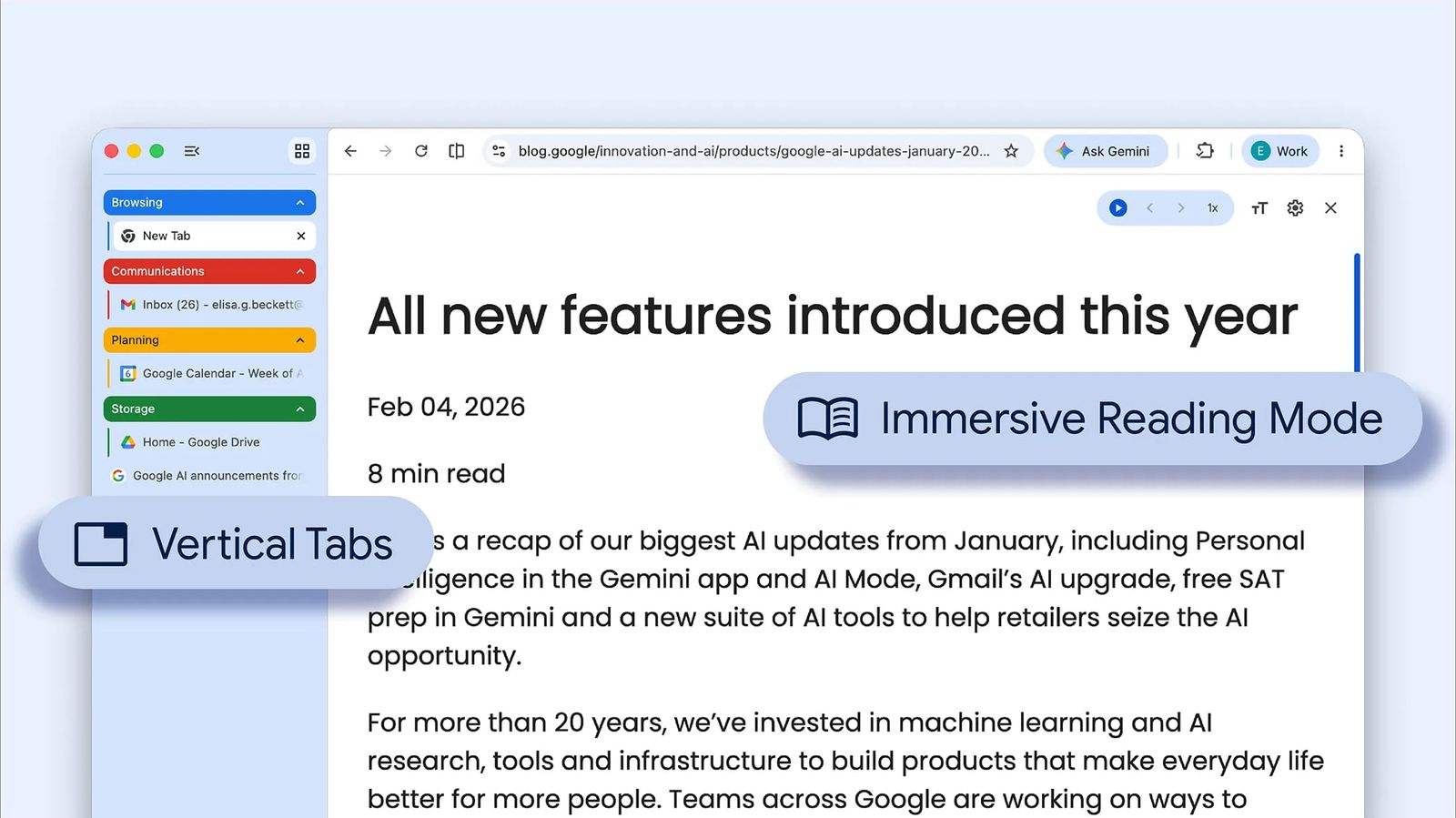
Google updated Chrome with vertical tabs that appear in a sidebar and show full page titles.
Users can enable vertical tabs by right-clicking a Chrome window and selecting 'Show Tabs Vertically.'
Chrome now offers a full-page reading mode opened via a right-click 'Open in reading mode' option.
Both features began rolling out to Chrome desktop users starting today.
Same topic